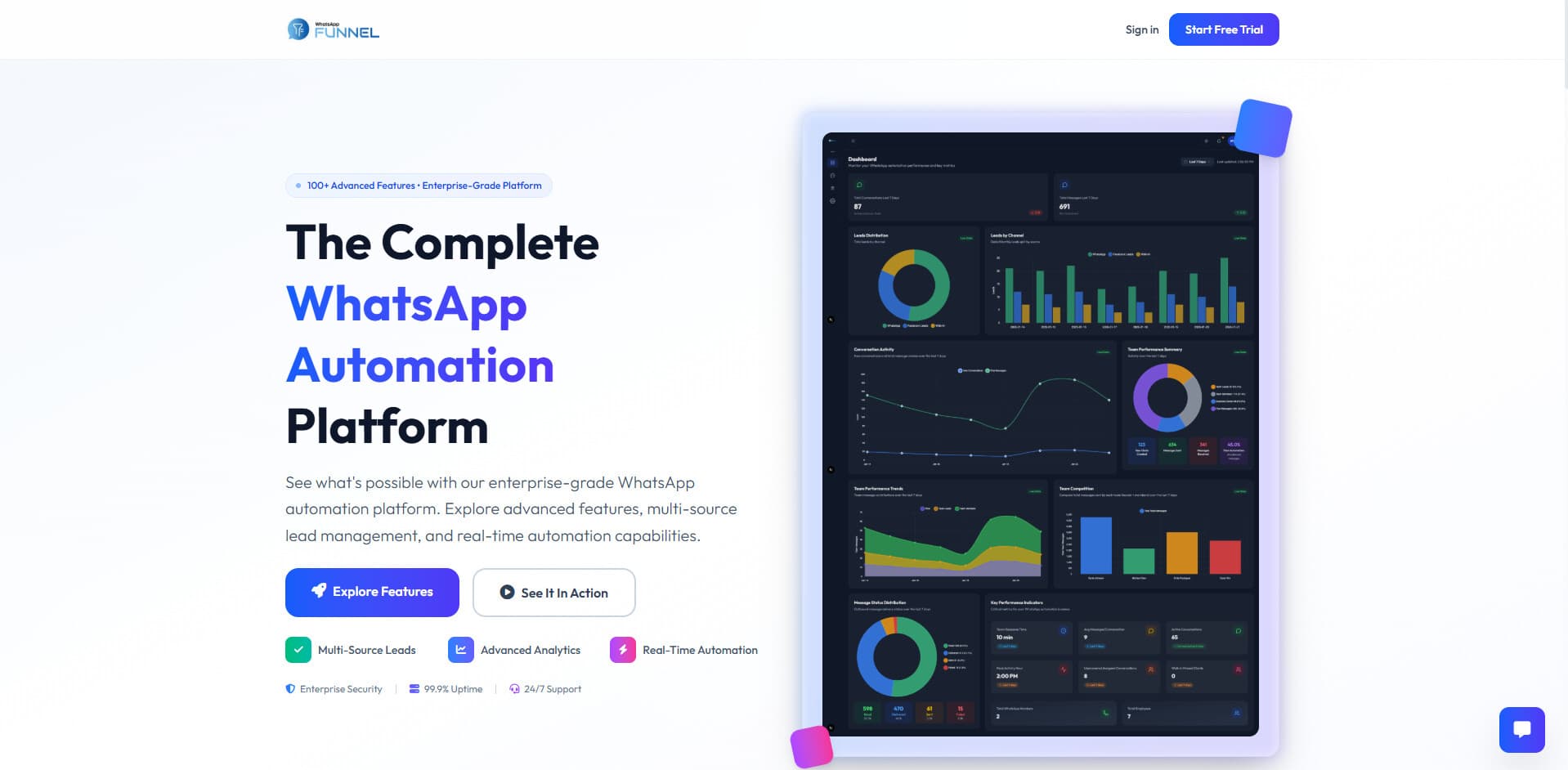
WhatsApp Funnel
A multi-channel lead management platform that consolidates WhatsApp, Facebook Lead Ads, Walk-in QR codes, and Webhook leads into a unified conversation system with visual flow automation, real-time Socket.IO updates, and configurable round-robin team assignment algorithms
Executive Summary
Case Study Overview
WhatsApp Funnel is a multi-channel lead management platform that consolidates WhatsApp, Facebook Lead Ads, Walk-in QR codes, and Webhook leads into a unified conversation system. This case study documents the visual flow automation, real-time Socket.IO updates, and configurable round-robin team assignment algorithms.
The Problem
Businesses face fragmented lead sources—WhatsApp inbound, Facebook Lead Ads, walk-in captures, webhooks—each requiring different ingestion patterns. Existing solutions force single-channel workflows, lack intelligent assignment algorithms, provide no visual automation, and offer poor real-time visibility into conversation status.
The Solution
A unified platform with multi-channel lead ingestion, configurable round-robin and biased round-robin assignment algorithms, visual flow automation using React Flow (no code deployment), real-time updates via Socket.IO and FCM, and role-based access control at the conversation level. Supports multiple businesses, team members, and WhatsApp numbers.
Key Outcomes
Single interface for all lead sources, automated fair workload distribution, visual flow builder for non-developers, real-time conversation status across web and mobile, and large-scale CSV imports (up to 100MB) with background job processing.
Want to dive deeper? Explore the full technical case study with architecture diagrams, implementation details, and outcomes.
Problem
The Challenge
Context
Businesses operating at scale face a critical operational challenge: managing high-volume customer conversations across multiple acquisition channels while maintaining fair workload distribution among team members and ensuring no lead falls through the cracks. The WhatsApp Business ecosystem presents unique constraints with real-time handling requirements and strict platform API limitations.
User Pain Points
Lead sources are fragmented—WhatsApp inbound messages, Facebook Lead Ads, walk-in captures, external webhooks, and manual entries—each requiring different ingestion patterns
Existing solutions force businesses into single-channel workflows, losing leads from other sources
Lack of intelligent assignment algorithms creates workload imbalances among team members
No visual automation capabilities requiring developer intervention for every flow change
Poor real-time visibility into conversation status and team performance
No role-based access control at the conversation and feature level
WhatsApp 24-hour messaging window constraints for non-template messages add complexity
Why Existing Solutions Failed
Generic CRM systems lack native WhatsApp Cloud API integration and multi-channel lead consolidation. Existing solutions either force single-channel workflows, lack configurable assignment algorithms, provide no visual flow builder, or offer inadequate real-time capabilities for high-volume operations.
Goals & Metrics
What We Set Out to Achieve
Objectives
- 01Consolidate multi-channel lead ingestion into a single conversation management interface
- 02Automate lead assignment via configurable round-robin and biased round-robin algorithms
- 03Enable visual flow automation without code deployment using React Flow
- 04Deliver real-time updates across web and mobile via Socket.IO and FCM
- 05Enforce role-based access control at the conversation and feature level
- 06Support multiple businesses, team members, WhatsApp phone numbers, and Facebook Pages
- 07Handle large-scale CSV imports (up to 100MB) with background job processing
- 08Integrate with WhatsApp Cloud API, Facebook Graph API, and Firebase for push notifications
Success Metrics
- 01Support for 5 lead sources: WhatsApp inbound, Facebook Lead Ads, Walk-in QR, External Webhook, Manual Entry
- 027 concurrent background jobs coordinating system health and automation
- 03Real-time Socket.IO with room-based message routing for efficient delivery
- 04Role-based visibility: business owners see all, team leads see team, members see assigned only
- 05100MB payload support for large CSV lead imports via job queue workers
- 0620+ MongoDB collections managing users, conversations, messages, flows, and follow-ups
- 07Configurable round-robin and biased round-robin assignment with pointer state persistence
- 083 user role tiers with hierarchical permissions (business owner, team lead, member)
User Flow
User Journey
The system handles multiple user flows: authentication with email/password or Google OAuth, lead ingestion from 5 channels, visual flow creation and execution, real-time conversation management, follow-up scheduling, and team assignment configuration.
Architecture
System Design
Monolithic-per-application architecture with two distinct deployment units: User App (Next.js 15 frontend + Express 4 backend + Socket.IO) and Admin Panel (separate Next.js frontend + Express backend on port 4001). Both share a single MongoDB instance (whaDB), enabling admin visibility into all business data.
What This Diagram Represents
The complete system topology showing how the WhatsApp Funnel platform is structured. Two separate frontend applications (User App and Admin Panel) connect to their respective Express backends, which share a single MongoDB database. External integrations include WhatsApp Cloud API, Facebook Graph API, Firebase for push notifications, AWS S3 for media storage, and SMTP for email delivery.
How to Read the Flow
Key Engineering Decisions
Layer Breakdown
Frontend Layer
Backend Layer
Data Layer
External Integrations
Security
Authentication Flow
Complete authentication lifecycle including email/password login, Google OAuth, token verification, and role-based authorization for team members and business owners.
What This Diagram Represents
The complete authentication lifecycle covering email/password login, Google OAuth integration, and password reset flows. Also shows how the protect middleware verifies tokens on subsequent requests and applies role-based filtering.
How to Read the Flow
Key Engineering Decisions
Lead Management
Multi-Channel Lead Ingestion
Five distinct lead sources—WhatsApp inbound, Facebook Lead Ads, Walk-in QR codes, External Webhooks, and Manual Entry—converge into a unified conversation system with configurable assignment algorithms.
What This Diagram Represents
How leads from five different sources (WhatsApp inbound, Facebook Lead Ads, Walk-in QR codes, External Webhooks, and Manual Entry) flow into a unified conversation system and get assigned to team members via configurable algorithms.
How to Read the Flow
Key Engineering Decisions
Automation
Visual Flow Builder
Enable non-technical users to create automated messaging sequences using a drag-and-drop React Flow canvas. Flows execute automatically when inbound messages match trigger conditions, without requiring code deployment.
What This Diagram Represents
The lifecycle of visual automation flows from creation in the React Flow canvas, through storage in MongoDB, to execution when inbound messages arrive. Shows both the design-time save flow and runtime execution flow.
How to Read the Flow
Key Engineering Decisions
Real-Time
Real-Time Message Flow
Instant message delivery and status updates via Socket.IO without polling. Room-based routing ensures only users viewing a conversation receive updates, while FCM push notifications reach users when offline.
What This Diagram Represents
The complete message flow showing how outbound messages travel from user action to WhatsApp and back, how inbound messages from WhatsApp reach the UI, and how status updates (delivered, read) propagate in real-time.
How to Read the Flow
Key Engineering Decisions
Data Flow
Request Processing Lifecycle
The complete request journey from client through the Express middleware stack (Helmet, CORS, body parsing, rate limiting, authentication) to controllers, services, data access, and back. Includes webhook bypass paths.
What This Diagram Represents
The complete request lifecycle from client through the Express middleware stack to controllers, services, data access, and external APIs. Shows how both authenticated API routes and webhook routes are processed.
How to Read the Flow
Key Engineering Decisions
Workflow
Follow-Up System
Track scheduled actions on conversations with role-based visibility. Business owners see all follow-ups, team leads see their team's, and members see only their own. Automated reminders via email and FCM.
What This Diagram Represents
The follow-up management system showing creation, role-based visibility, automated reminders via background job, and completion workflow. Demonstrates how different user roles see different follow-ups.
How to Read the Flow
Key Engineering Decisions
Assignment
Lead Assignment Algorithms
Fair lead distribution via standard round-robin or biased round-robin with frequency weights. Pointer state persists across server restarts and respects member availability settings.
What This Diagram Represents
The two lead assignment algorithms: standard round-robin for equal distribution, and biased round-robin for frequency-weighted distribution. Shows how the pointer state persists and how availability is checked.
How to Read the Flow
Key Engineering Decisions
Data Flow
How Data Moves
Data flows through multiple layers with security validation at each step. Client requests pass through authentication, authorization, and middleware before reaching controllers. Services interact with MongoDB for persistence and trigger WebSocket events for real-time updates.
Core Features
Key Functionality
Multi-Channel Lead Management
What it does
Consolidates leads from WhatsApp inbound, Facebook Lead Ads, Walk-in QR codes, External Webhooks, and Manual Entry into unified conversations
Why it matters
Eliminates lead loss from fragmented channels, provides single interface for all customer conversations regardless of acquisition source
Implementation
Source-agnostic Conversation model with source field. Channel-specific webhooks and API endpoints. Lead Webhook Service parses payloads by source type. CSV import via background job workers (2s interval).
Visual Flow Builder
What it does
Drag-and-drop React Flow canvas for creating automated messaging sequences with trigger, message, condition, delay, and action nodes
Why it matters
Enables non-technical users to create automations without code deployment. Reduces developer intervention for flow changes.
Implementation
React Flow frontend stores nodes and edges directly. Phone number → flow exclusivity enforced by checkFlowConflicts. Flow Message Service executes graph on inbound messages. Background job re-enables paused flows every 30 minutes.
Real-Time Conversation Management
What it does
Instant message delivery and status updates via Socket.IO. Room-based routing ensures only users viewing a conversation receive updates.
Why it matters
Eliminates polling overhead, provides instant visibility into message status (sent, delivered, read, failed), enables team collaboration.
Implementation
Socket.IO server with JWT authentication. Users join rooms by conversationId. Events: new_message, message_status_update. 5-minute stale connection cleanup. 100MB buffer size for import preview.
Team Assignment Algorithms
What it does
Configurable round-robin and biased round-robin lead distribution. Biased algorithm allows frequency weights for workload balancing.
Why it matters
Ensures fair lead distribution, prevents workload imbalances, allows capacity-based assignment for different team member loads.
Implementation
RoundRobinTracking collection persists pointer state. Biased round-robin expands pool by frequency (A:3, B:2, C:1 → [A,A,A,B,B,C]). WalkinUnavailabilityLogs respects member availability.
Follow-Up System
What it does
Schedule actions on conversations with role-based visibility. Business owners see all, team leads see team, members see only their own.
Why it matters
Prevents leads from falling through cracks, provides accountability with scheduled reminders, maintains visibility hierarchy.
Implementation
FollowUps collection with conversationId, note, scheduledFor, createdBy. Reminder job runs every 5 minutes, queries pending follow-ups, sends email and FCM notifications.
Role-Based Access Control
What it does
Three-tier permissions: business owners see all conversations, team leads see their team, members see only assigned. Menu visibility based on permissions.
Why it matters
Enforces principle of least privilege, protects sensitive business data, enables delegation without oversharing.
Implementation
roleUtils.ts with isTeamLead(), isRegularTeamMember(), shouldSeeAllConversations(). Controllers build query filters based on role checks. Sidebar menu items conditionally rendered.
Facebook OAuth & Lead Ads Integration
What it does
Connect Facebook Pages and WhatsApp Business Accounts. Import historical leads. Webhook subscription for real-time lead capture.
Why it matters
Automates lead capture from Facebook advertising, eliminates manual data entry, preserves lead data from campaigns started before integration.
Implementation
OAuth flow stores tokens in OAuthTokens collection. Token refresh job runs daily. Lead webhook creates FacebookLead and Conversation documents. Page-level assignment configuration.
Large Payload Handling
What it does
Supports 100MB CSV imports for bulk lead data, chat history parsing, and timeline reconstruction.
Why it matters
Enables migration of historical data, bulk operations without timeouts, import from external CRM systems.
Implementation
Body parser limit 55MB. validateRequestSize middleware allows 100MB for lead import path. Background job workers (2s interval) process imports asynchronously. Failure tracking for retry.
Technical Challenges
Problems We Solved
Why This Was Hard
Conversations, Messages, Flows, and FollowUps use native driver (getCollection) while Users, TeamMembers, and lead-related entities use Mongoose. Inconsistent query patterns across codebase, Mongoose middleware unavailable for native collections.
Our Solution
Established convention: high-volume, schema-light collections use native driver for performance; schema-heavy, relationship-rich models use Mongoose for validation and middleware. Clear documentation of which collections use which pattern.
Why This Was Hard
Different user roles require different data visibility. Visibility logic must be applied consistently across conversations and follow-ups. Query filters vary based on user type and role hierarchy. Performance impact of complex query conditions.
Our Solution
Centralized roleUtils.ts with functions: isTeamLead(user), isRegularTeamMember(user), shouldSeeAllConversations(user). Controllers build query filters based on role check results. Team lead query includes assignedTo: { $in: allowedUserIds }.
Why This Was Hard
Default Express body limit (1MB) rejects large payloads. Large imports block the request/response cycle causing timeouts. Memory pressure from parsing large files synchronously.
Our Solution
Body parser limit increased to 55MB globally. validateRequestSize middleware allows 100MB specifically for lead import path. Asynchronous job queue: import creates job document, background worker (2s interval) processes rows with failure tracking.
Why This Was Hard
Persistent Socket.IO connections require room management and stale connection cleanup. Broadcasting to wrong users leaks sensitive conversation data. Memory growth from abandoned connections.
Our Solution
Room-based Socket.IO architecture: users join rooms by conversationId. 5-minute interval job removes disconnected users from tracking. JWT authentication for WebSocket connections. 100MB maxHttpBufferSize for real-time import preview.
Why This Was Hard
Webhook payload delivery requires sub-10-second acknowledgment. Rate limits per phone number and per WABA. 24-hour messaging window for non-template messages. Media URLs expire requiring proxying.
Our Solution
Webhooks return 200 immediately, process asynchronously. Rate limiting tracked per phone number. Template messages for conversations outside 24-hour window. Media proxying through backend or presigned S3 URLs.
Why This Was Hard
Multiple businesses, each with multiple team members, phone numbers, and Facebook Pages. Data must be isolated by business. Admin panel needs cross-business visibility.
Our Solution
businessId field on all tenant-scoped documents. Query filters always include businessId from JWT. Admin panel uses separate backend (port 4001) with cross-business query capability.
Engineering Excellence
Performance, Security & Resilience
Performance
- Pagination on conversations, flows, and messages to prevent large result sets
- Request deduplication middleware blocks duplicate thunks within 100ms, reuses in-flight requests within 30s
- Background job workers (2s interval) process lead and timeline imports asynchronously
- Socket.IO room isolation reduces broadcast overhead—messages go only to relevant clients
- Stale socket connection cleanup every 5 minutes prevents memory growth
- Rate limiter cleanup every 24 hours purges expired Facebook rate limit entries
Error Handling
- Global error handler maps error types to HTTP status: entity.too.large → 413, ValidationError → 400, JWT errors → 401
- notFoundHandler returns 404 JSON for unmatched routes
- Controllers use try/catch with 500 and console.error for unhandled exceptions
- Production mode hides stack traces in error responses
- Failed notifications stored for manual retry capability
Security
- JWT in HTTP-only cookie prevents XSS token theft
- bcrypt password hashing with configurable salt rounds
- Helmet middleware sets security headers (CSP, X-Frame-Options)
- CORS with explicit origin whitelist (FRONTEND_URI, admin, test-frontend)
- Rate limiting: 50/15min auth routes, 10000/15min general API, webhooks excluded
- Request size validation: 16MB default, 100MB lead import, 10MB JSON
- Google OAuth with state parameter prevents CSRF in OAuth flow
- express-validator on auth routes, sanitizeBody/sanitizeQuery globally
Design Decisions
Visual & UX Choices
Monolith-Per-App Architecture
Rationale
User App and Admin Panel deployed independently for security isolation and role-specific optimization. Single MongoDB enables admin visibility without inter-service communication.
Details
Two Next.js frontends, two Express backends. User App on port 4000, Admin on 4001. Shared whaDB database. Independent deployment cycles.
Dark Theme Interface
Rationale
Professional appearance for business users managing conversations throughout the day. Reduces eye strain during extended usage.
Details
Neutral color palette with Tailwind CSS. Headless UI components. Framer Motion for animations. Dark backgrounds with high-contrast text.
React Flow for Visual Builder
Rationale
Drag-and-drop interface enables non-technical users to create automation flows without code. Visual representation makes complex logic accessible.
Details
Node types: trigger, message, condition, delay, action. Edges represent flow transitions. Native nodes/edges storage enables lossless round-trip.
Sidebar Navigation with Permissions
Rationale
Role-based menu visibility ensures users only see features they can access. Reduces cognitive load and prevents unauthorized action attempts.
Details
Menu items conditionally rendered based on user permissions. Business owners see all, team leads see team features, members see assigned conversations.
Real-Time Toast Notifications
Rationale
Immediate feedback for user actions and system events. Socket.IO events surface as toasts for new messages and status updates.
Details
react-hot-toast for transient notifications. Socket.IO events trigger toasts for new_message and message_status_update events.
Impact
The Result
What We Achieved
Successfully delivered a production-ready multi-channel lead management platform consolidating 5 lead sources into unified conversation management. Visual flow builder enables no-code automation. Real-time Socket.IO and FCM push notifications provide instant updates. Role-based access control at conversation and feature level. 7 background jobs coordinate system health including flow re-enablement, token refresh, and import processing.
Who It Helped
Business owners gained centralized control over multi-channel lead acquisition with fair team assignment algorithms. Team members benefit from clear workload distribution and real-time conversation updates. Marketing teams can create automated response flows without developer intervention.
Why It Matters
Demonstrates ability to architect complex multi-tenant systems with real-time requirements, external API integrations (WhatsApp, Facebook, Firebase), and sophisticated authorization patterns. Shows practical solutions to WhatsApp API constraints, multi-channel ingestion, and large-scale import handling.
Reflections
Key Learnings
Technical Learnings
- MongoDB native driver outperforms Mongoose for high-volume, schema-light operations like messages and conversations
- Socket.IO room-based architecture effectively handles role-filtered real-time event distribution
- Background job workers with fixed intervals are simpler than complex queue systems for predictable workloads
- WhatsApp Cloud API webhooks require immediate 200 response with asynchronous processing to avoid timeout failures
- JWT in HTTP-only cookies provides security against XSS but requires careful CSRF handling
- Rate limiting by both user ID and IP address prevents abuse from both authenticated and unauthenticated sources
Architectural Insights
- Monolith-per-app architecture balances deployment flexibility with codebase simplicity for small-to-medium scale
- Centralized role utilities (roleUtils.ts) prevent visibility logic duplication across controllers
- Source-agnostic data models enable unified querying regardless of lead acquisition channel
- In-memory state (CSRF, rate limits) simplifies deployment but limits horizontal scaling without Redis
- Dual data access pattern (native vs Mongoose) requires clear conventions and documentation
- Channel-specific configuration allows different assignment rules per lead source without code changes
What I'd Improve
- Implement Redis for shared CSRF tokens, rate limit counters, and Socket.IO adapter for horizontal scaling
- Add automated test suite (currently npm test exits with "no test specified")
- Mount CSRF protection middleware on state-changing routes (currently only token attach)
- Complete Facebook data deletion callback (actual deletion logic is commented out)
- Split heavy conversation.controller.ts into domain-specific controllers
- Standardize collection naming conventions across database
Roadmap
Future Enhancements
Implement Redis for shared state enabling horizontal scaling across multiple instances
Add Socket.IO Redis adapter for cross-instance real-time event distribution
Create automated test suite with unit, integration, and end-to-end tests
Enforce CSRF protection middleware on all state-changing routes
Complete Facebook data deletion callback for GDPR compliance
Split conversation.controller.ts into LeadController, MessageController, ImportController
Add health check endpoints for MongoDB, external services, and background job status
Implement structured logging with request correlation IDs for debugging
Add webhook retry mechanism for failed Facebook payload deliveries
Create dashboard analytics for lead conversion rates and team performance metrics