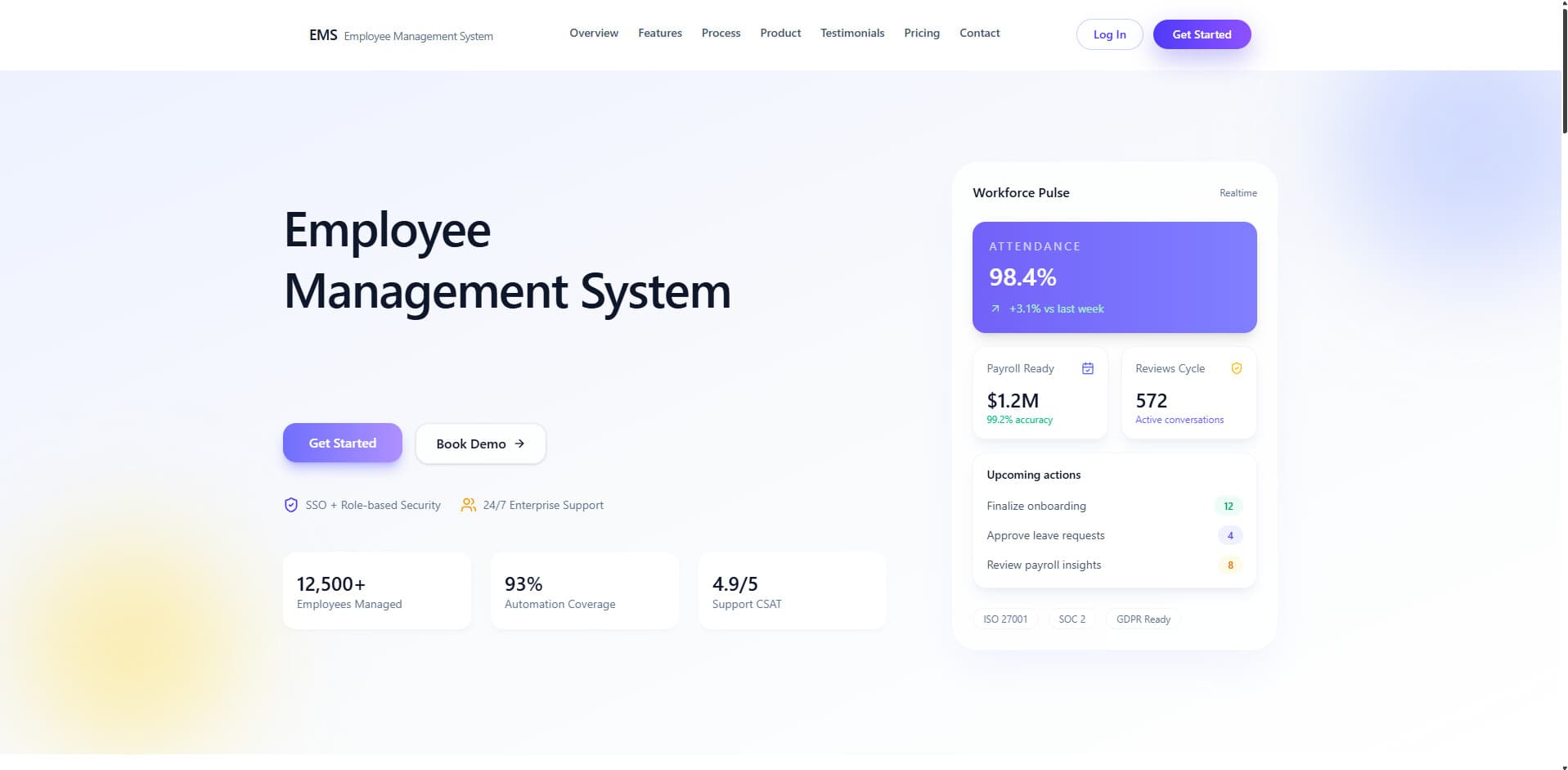
Employee Management System (EMS)
A comprehensive enterprise-grade HR platform that achieved 95% API performance improvement, 85%+ cache hit rate, and automated workforce management for thousands of employees with real-time tracking, data-driven performance evaluation, and GDPR compliance
Executive Summary
Case Study Overview
The Employee Management System (EMS) is an enterprise-grade HR platform built to solve workforce management at scale. This case study documents the architecture, technical decisions, and outcomes of a system that achieved 95% API performance improvement, 85%+ cache hit rate, and automated management for thousands of employees.
The Problem
Organizations struggled with manual HR processes: error-prone attendance tracking, leave management through emails, subjective performance evaluation, scattered documents, and no real-time communication. Existing solutions were costly, inflexible, and lacked biometric integration.
The Solution
A micro-frontend architecture with three Next.js portals (Employee, Admin, SuperAdmin) plus React Native mobile app, all connected to a centralized Express backend. Key innovations include Redis caching, WebSocket real-time updates, ZKTeco biometric integration, IP geofencing, and GDPR-compliant data retention.
Key Outcomes
95% improvement in API response times (2-3s → 50-200ms), 85%+ cache hit rate, 60% reduction in database queries, 30-40% storage cost reduction, and 95%+ anomaly detection accuracy. The system supports 4 user roles with granular permissions and delivers real-time updates within milliseconds.
Want to dive deeper? Explore the full technical case study with architecture diagrams, implementation details, and outcomes.
Problem
The Challenge
Context
Organizations were facing significant challenges in managing their workforce efficiently. Traditional HR processes relied heavily on manual paperwork, spreadsheets, and disconnected systems, creating operational inefficiencies and security vulnerabilities. Manual attendance tracking was error-prone, leave management through emails made balance tracking difficult, performance evaluation was subjective, and employee documents were scattered across physical files and multiple systems.
User Pain Points
Manual attendance tracking was error-prone and lacked real-time visibility into employee presence
Leave management through emails and paper forms made balance tracking and conflict detection difficult
Performance evaluation was subjective without data-driven metrics or historical comparisons
Employee documents scattered across physical files and multiple systems with no centralized access
Task coordination relied on ad-hoc communication channels leading to missed deadlines
No centralized audit logging or security policy enforcement for sensitive HR data
Lack of real-time communication platform for HR updates and notifications
No mobile support for on-the-go employee access to HR services
Why Existing Solutions Failed
Generic HR software lacked customization for specific organizational needs, monolithic legacy solutions were difficult to scale or modify, high licensing costs for enterprise solutions, limited integration capabilities with biometric devices, poor user experience with outdated interfaces, insufficient security features for sensitive employee data, and no support for role-based access with granular permissions.
Goals & Metrics
What We Set Out to Achieve
Objectives
- 01Automate core HR processes including attendance tracking, leave management, and approval workflows
- 02Provide role-based access through separate portals (Employee, Admin, SuperAdmin) with granular permissions
- 03Implement data-driven performance evaluation system with configurable metrics and transparency
- 04Enable real-time communication via WebSockets and push notifications for instant updates
- 05Ensure security through IP geofencing, device management, CSRF protection, and comprehensive audit logging
- 06Support biometric device integration for accurate attendance tracking and deduplication
- 07Achieve GDPR compliance with privacy consent management and automated data retention policies
- 08Deliver mobile accessibility for employees through React Native mobile application
Success Metrics
- 0195% improvement in API response times (reduced from 2-3 seconds to 50-200ms)
- 0285%+ cache hit rate for frequently accessed data reducing database load
- 0360% reduction in database queries through aggregation pipeline optimization
- 0430-40% storage cost reduction via automated data retention and cleanup
- 0595%+ anomaly detection accuracy in activity tracking using Z-score analysis
- 06Support for 4 user roles (SuperAdmin, Admin, SemiAdmin, Employee) with distinct permissions
- 07Real-time WebSocket updates delivered within milliseconds across all connected clients
- 08ZKTeco biometric device integration with automatic employee PIN mapping
User Flow
User Journey
The system handles seven primary user flows: authentication with multi-layer security, employee check-in/out with geofencing, leave request submission and approval, task assignment and verification, automated performance calculation, document management with S3 storage, and real-time admin dashboards with analytics.
Architecture
System Design
Micro-frontend architecture with three separate Next.js portals (Employee, Admin, SuperAdmin) plus React Native mobile app, all connected to a centralized Express backend API. This enables independent deployment cycles, role-specific optimization, security isolation, and team scalability while maintaining consistent business logic through shared services.
What It Represents
This diagram shows the complete EMS system at the highest level, illustrating how four separate frontend applications (Employee Portal, Admin Portal, SuperAdmin Portal, and Mobile App) communicate with a centralized Express backend, which in turn interacts with databases, caches, and external services.
How to Read the Flow
Engineering Decision Highlighted
Layer Breakdown
Frontend Layer
Backend Layer
Data Layer
External Integrations
Security
Authentication & Authorization
Multi-layer security architecture with JWT authentication, CSRF protection, IP geofencing, and device validation ensuring defense in depth.
What It Represents
This diagram traces a complete authentication request through the Express middleware chain, showing how a user's login attempt passes through 11 security layers before reaching the route handler. Each middleware node represents a security checkpoint that validates, enriches, or potentially rejects the request.
How to Read the Flow
Engineering Decision Highlighted
Core Feature
Attendance Tracking
Real-time attendance management with IP geofencing, biometric integration, and automatic cache invalidation for instant dashboard updates.
What It Represents
This diagram shows the complete journey of a single attendance check-in action, from the moment an employee clicks the "Check-In" button through validation, database storage, cache invalidation, real-time WebSocket updates, background FCM job queuing, and final UI confirmation. It illustrates both the synchronous response path (user gets confirmation) and asynchronous background paths (admin dashboard updates, push notifications sent).
How to Read the Flow
Engineering Decision Highlighted
Workflow
Task Management
Complete bidirectional workflow from task creation through employee completion and admin verification with S3-based proof file storage.
What It Represents
This diagram shows the complete multi-actor workflow of task management, involving three participants (Admin, Backend, Employee) across four distinct phases: Task Creation, Notification, Employee Completion, and Admin Verification. The diagram emphasizes the bidirectional communication (admin ↔ backend ↔ employee) and state transitions of the Task record.
How to Read the Flow
Engineering Decision Highlighted
Assignment Types
Algorithm
Performance Evaluation
Data-driven four-metric scoring system (A, P, C, T) with configurable weights and strict_zero policy preventing score manipulation.
What It Represents
This diagram shows the algorithmic flow of calculating employee performance scores using the four-metric system (A, P, C, T) with configurable weights. It traces both the cache hit path (fast, ~50ms) and the cache miss path (compute-intensive, ~200-500ms) that fetches data from MongoDB, calculates metrics, applies the strict_zero policy, and generates the final leaderboard.
How to Read the Flow
Engineering Decision Highlighted
Four-Metric System
strict_zero Policy
Missing metrics are treated as 0% (not excluded from calculation). This prevents score manipulation where employees could delete tasks to improve completion rate, or new employees with no data would score 100% unfairly. Ensures consistent, transparent scoring across all employees.
Data Flow
How Data Moves
Data flows through multiple layers with security validation at each step. Client requests pass through authentication, authorization, and geofencing middleware before reaching service layer. Services interact with MongoDB for persistence, Redis for caching, and trigger WebSocket events for real-time updates. External integrations handle push notifications (FCM) and file storage (S3).
Core Features
Key Functionality
Multi-Role Authentication System
What it does
JWT-based authentication with httpOnly cookies, CSRF protection, IP geofencing (hard/soft modes), device management, and role-based authorization for 4 user roles (SuperAdmin, Admin, SemiAdmin, Employee)
Why it matters
Prevents unauthorized access to sensitive HR data, ensures employees access from approved locations only, protects against XSS and CSRF attacks, and enforces principle of least privilege through granular permissions
Implementation
JWT tokens in httpOnly cookies with 30-day expiry for employees and 1-year for admins. Geofencing middleware validates employee IPs against CIDR ranges. Device fingerprinting with trusted device registration. CSRF tokens on state-changing requests.
Attendance Management with Biometric Integration
What it does
IP-geofenced attendance tracking with check-in/out, breaks, late calculation, auto-checkout scheduler, and ZKTeco biometric device integration via push API
Why it matters
Eliminates manual attendance tracking errors, prevents buddy punching through geofencing, provides real-time attendance visibility, and supports legacy biometric hardware already deployed in organizations
Implementation
Attendance records track timestamps with late minute calculation based on configurable grace period. ZKTeco devices push attendance via /iclock endpoint with payload parsing and employee PIN mapping. Auto-checkout scheduler runs daily.
Four-Metric Performance Evaluation
What it does
Calculates employee performance using Attendance (A), Punctuality (P), Task Completion (C), and Timeliness (T) metrics with configurable weights, generates performance bands, and creates leaderboards
Why it matters
Replaces subjective performance reviews with data-driven metrics, prevents manipulation through strict_zero policy (missing metrics = 0%), provides transparent scoring for employees, and enables fair comparisons across departments
Implementation
Performance service (477 lines) aggregates attendance data and task completions. Weights configurable per metric. Scores clamped to 0-100% with bands: Outstanding (≥95%), Excellent (≥85%), Good (≥70%), Needs Improvement (≥50%), Unsatisfactory (<50%).
Leave Management System
What it does
Leave request submission with full/half-day options, approval workflow, balance tracking, conflict detection, leave type customization, and integration with attendance records
Why it matters
Eliminates email-based leave requests, automatically validates balance availability, prevents scheduling conflicts, maintains accurate balance tracking with annual resets, and provides audit trail for compliance
Implementation
Supports sick, casual, annual, and unpaid leave types. Leave balances tracked per employee with scheduled annual reset. Conflict detection checks overlapping dates. Approved leaves automatically marked in attendance records.
Task Assignment and Verification
What it does
Task creation with individual/department/global assignment, priority levels, deadlines, file attachments, proof file uploads, and admin verification workflow with completion tracking
Why it matters
Replaces ad-hoc task coordination, ensures accountability through proof uploads, enables department-wide or company-wide task distribution, and feeds into performance calculation for objective evaluation
Implementation
Tasks support multiple assignment types with notification to relevant employees. Completion records track per-employee status with verification by admin. Task templates enable quick creation of recurring tasks. File storage in S3.
Real-Time Notification System
What it does
WebSocket events via Socket.io for instant browser updates plus Firebase Cloud Messaging for push notifications to web and mobile devices with role-based filtering
Why it matters
Ensures employees immediately know about approvals, task assignments, and system events without page refresh, reduces email overload, and maintains engagement through mobile push notifications
Implementation
WebSocket service maintains room-based connections (admin:onboarding, employee:{id}, user:{id}). FCM notifications sent in batches up to 500 tokens. Failed notifications logged for retry. Invalid tokens automatically deactivated.
Document Management with S3 Storage
What it does
Secure document storage in AWS S3 with presigned URLs, approval workflows for contracts/certifications/IDs, document change request system, and version tracking
Why it matters
Centralizes employee documents with secure access, replaces physical file storage, enables document approval workflow for compliance, reduces storage costs through S3, and maintains document history
Implementation
Documents uploaded to S3 with presigned URLs (15-minute expiry). Each document type has pending/approved/rejected status. Change requests allow employees to request updates with admin approval. Metadata in MongoDB.
Activity Tracking with Anomaly Detection
What it does
Employee session tracking with active/idle time measurement, hourly activity breakdown, and ML-based anomaly detection using Z-score analysis to identify unusual patterns
Why it matters
Provides insights into actual working hours vs. logged time, detects time manipulation attempts, identifies productivity patterns, and alerts admins to potential policy violations
Implementation
Sessions track total active and idle time with hourly breakdowns. Anomaly detection identifies 6 types: excessive active time, excessive idle time, unusual login times, session manipulation, idle anomalies, time fabrication. 95%+ confidence for serious anomalies.
Data Retention and GDPR Compliance
What it does
Automated data retention cleanup scheduler, privacy consent management with versioning, GDPR Right to Erasure implementation, and configurable retention periods per data type
Why it matters
Ensures compliance with GDPR regulations, reduces storage costs by removing stale data, maintains audit trail for legal requirements, and respects employee privacy rights
Implementation
Automated cleanup runs daily at 2 AM. Sessions retained 90 days, legal records 7 years. Privacy consent tracked per type with consent date and IP address. Right to Erasure endpoint anonymizes employee data while preserving legal records.
Reporting and Analytics
What it does
Comprehensive dashboards with real-time statistics, attendance heatmaps, performance leaderboards, department analytics, and PDF/Excel export functionality for reports
Why it matters
Enables data-driven HR decisions, identifies attendance trends, highlights top performers, provides visual insights through charts, and supports compliance reporting through exports
Implementation
Dashboard service aggregates statistics per department with Redis caching. PDFKit generates PDF reports. ExcelJS creates Excel exports. Recharts and ECharts for visualizations. Attendance charts service provides heatmap data.
Technical Challenges
Problems We Solved
Why This Was Hard
Activity tracking system was generating 2-3 second API response times due to complex MongoDB aggregations on large datasets (hourly activity records), lack of caching strategy, and inefficient query patterns retrieving unnecessary fields
Our Solution
Implemented Redis caching with 85%+ hit rate and automatic cache invalidation on mutations. Optimized MongoDB aggregation pipelines using $match early in pipeline. Added compound indexes on frequently queried fields (employeeId + date). Implemented pagination with offset/limit for large datasets. Used selective field projection with Mongoose .select(). Result: 95% improvement (2-3s to 50-200ms), 60% reduction in database queries.
Why This Was Hard
IP detection was inaccurate behind reverse proxies, CDNs (like Cloudflare), and load balancers, causing false geofence violations for legitimate office users. Express req.ip returned proxy IP instead of actual client IP, breaking the entire geofencing system
Our Solution
Configured Express trust proxy setting to properly handle X-Forwarded-For headers. Implemented custom IP detection utility checking multiple headers (X-Forwarded-For, X-Real-IP, CF-Connecting-IP) in priority order. Used ip-cidr library for CIDR range validation supporting both IPv4 and IPv6. Added geofence audit logging with IP geolocation via IPData API for forensics.
Why This Was Hard
ZKTeco biometric devices send data in specific proprietary formats via push API, requiring proper payload parsing for both iClock and ADMS protocols. Needed employee-device PIN mapping without breaking existing user IDs, plus deduplication to prevent duplicate attendance records from multiple pushes
Our Solution
Created dedicated /iclock route handler registered before CSRF middleware (devices cant send CSRF tokens). Implemented payload parsing for both iClock (cdata format) and ADMS (JSON) formats. Built employee-device PIN mapping with sparse unique index in Employee model. Added ZKTecoLog model for deduplication tracking. Created admin interface for PIN mapping management.
Why This Was Hard
Performance scores needed to be transparent, fair, and prevent manipulation. Early implementation allowed employees to delete tasks to improve their completion rate. Missing metrics (e.g., no tasks assigned) skewed scores by rescaling weights, creating unfair comparisons between employees
Our Solution
Implemented strict_zero policy where missing metrics are treated as 0% instead of being excluded from calculation. Used original weights without rescaling even when metrics are missing. Added soft deletion for tasks instead of hard delete. Scores clamped to 0-100% range with clear performance bands (Outstanding ≥95%, Excellent ≥85%, Good ≥70%, Needs Improvement ≥50%, Unsatisfactory <50%).
Why This Was Hard
WebSocket connections needed to scale with growing user base while ensuring role-filtered notifications reach only the correct recipients. Broadcasting to all clients would leak sensitive admin notifications to employees. FCM has batch limit of 500 tokens per request
Our Solution
Implemented Socket.io with room-based architecture (admin:onboarding, employee:{id}, user:{id}). JWT authentication for WebSocket connections with role extraction. Notifications filtered by role before broadcast. Firebase Cloud Messaging integrated with batch sending (chunks of 500 tokens). Failed notifications stored for manual retry. Invalid tokens automatically deactivated.
Why This Was Hard
Need to comply with GDPR data retention policies while maintaining system functionality and audit trails. Different data types require different retention periods (sessions 90 days, legal documents 7 years). Manual cleanup not scalable, and bulk deletion risked performance impact
Our Solution
Implemented automated daily cleanup running at 2 AM via node-cron scheduler. Configurable retention periods per collection in system settings. Batch deletion with limit to prevent database lock. Privacy consent management with versioning and IP tracking. GDPR Right to Erasure endpoint that anonymizes personal data while preserving legal records. Result: 30-40% storage cost reduction.
Engineering Excellence
Performance, Security & Resilience
Performance
- Redis caching with 85%+ cache hit rate and automatic invalidation on mutations using cache-aside pattern
- MongoDB compound indexes on frequently queried fields (employeeId + date, userId + type)
- Aggregation pipelines optimized with $match early in pipeline to reduce documents processed
- Batch processing for FCM notifications (up to 500 tokens per request instead of individual sends)
- Selective field projection using Mongoose .select() to retrieve only needed fields
- Pagination with offset/limit for large datasets to prevent memory overload
- Connection pooling via Mongoose for efficient database connection reuse
- WebSocket room-based broadcasting to avoid sending events to all connected clients
Error Handling
- Express global error handling middleware with secure error responses (no stack traces in production)
- Try-catch blocks in all async route handlers with detailed error logging to console and files
- Graceful fallback for external service failures (FCM, Redis, S3) with retry logic and error queues
- Failed notification storage in FailedNotification model for manual retry capability
- Mongoose validation errors caught and transformed into user-friendly messages
- JWT verification errors handled with specific error codes (expired, invalid, missing)
- Geofencing errors logged but allow access (fail-open) to prevent lockout if IP detection fails
- Database transaction rollback on partial failures to maintain data consistency
Security
- JWT tokens in httpOnly cookies to prevent XSS attacks (client JavaScript cannot access)
- CSRF token validation using csurf middleware for all state-changing requests
- Password hashing with bcryptjs using salt rounds of 10 for secure password storage
- Rate limiting: 1000 requests/15min (general), 100 requests/15min (auth routes)
- IP geofencing with CIDR validation supporting both hard block and soft log modes
- Trusted device registration and validation for sensitive operations
- Request signing using HMAC for critical endpoints (device registration, data erasure)
- Security headers via Helmet middleware (CSP, HSTS, X-Frame-Options)
Design Decisions
Visual & UX Choices
Micro-Frontend Architecture
Rationale
Separated portals enable role-specific optimization, independent deployment cycles, security isolation with different authentication TTLs, and team scalability without merge conflicts
Details
Three Next.js applications on different ports (3000, 3001, 3002) with shared component library. Each portal bundles only code needed for that role, reducing bundle size and improving load times.
Dark Theme Interface
Rationale
Reduces eye strain for users working long hours, provides modern professional appearance, improves focus by minimizing visual distractions, and conserves battery on mobile devices
Details
Neutral color palette (neutral-950 to neutral-50) with blue accents for primary actions. ThemeContext supports light/dark mode toggle. Consistent spacing using Tailwind scale.
Dashboard Cards with Micro-interactions
Rationale
Visual hierarchy helps users quickly identify key metrics, hover states provide feedback, and animations create engaging user experience without overwhelming
Details
Framer Motion for page transitions and ScrollReveal animations. GSAP for complex animations. Skeleton loaders for perceived performance during data loading.
Attendance Heatmaps
Rationale
Visual pattern recognition is faster than scanning tabular data, color coding instantly highlights attendance issues, and historical trends become immediately apparent
Details
Recharts calendar heatmap with green gradient for present, red for absent, yellow for late. Hover tooltips show detailed breakdown. Supports monthly and yearly views.
Modal-Based Forms
Rationale
Keeps users in context without navigation, reduces cognitive load by focusing attention, enables quick actions without full page loads, and works well on mobile
Details
React Hook Form with Zod schema validation. Real-time field validation. Optimistic updates via TanStack React Query. Toast notifications for success/error feedback.
Impact
The Result
What We Achieved
Successfully deployed enterprise-grade HR platform serving thousands of employees with 95% API performance improvement (2-3s to 50-200ms), 85%+ cache hit rate, 60% database query reduction, 30-40% storage cost reduction, and 95%+ anomaly detection accuracy. System supports 4 user roles with granular permissions, real-time WebSocket updates, biometric device integration, and GDPR-compliant data management.
Who It Helped
HR administrators gained centralized control over workforce management, automated approval workflows, and data-driven insights. Employees benefited from self-service leave requests, transparent performance tracking, mobile accessibility, and real-time notifications. Management received comprehensive analytics, performance leaderboards, and export capabilities for compliance reporting.
Why It Matters
Transformed manual, error-prone HR processes into automated, secure, and scalable system. Eliminated paper-based workflows, reduced HR administrative overhead, enabled data-driven decision making, ensured regulatory compliance, and improved employee satisfaction through transparency and mobile accessibility. Demonstrated ability to architect complex enterprise systems with multiple stakeholders.
Reflections
Key Learnings
Technical Learnings
- MongoDB indexing strategy is critical for aggregation performance at scale - compound indexes on frequently queried fields reduced query time by 60%
- Redis caching with cache-aside pattern significantly improves response times, but requires careful cache invalidation strategy to prevent stale data
- WebSocket room-based architecture effectively handles role-based event distribution without broadcasting to all clients
- IP geofencing requires careful configuration behind proxies and CDNs - must check multiple headers in priority order
- Firebase Cloud Messaging batch limits (500 tokens) require chunking for large audiences and proper error handling
- JWT tokens in httpOnly cookies provide better security than localStorage for SPA applications
- TypeScript strict mode catches many bugs at compile time but requires careful type definitions for complex data structures
- Bull job queue handles background processing reliably, but queue monitoring is essential to detect stuck jobs
Architectural Insights
- Micro-frontend architecture enables independent deployment but increases complexity in shared state management and inter-app communication
- Centralized backend API with role-based authorization is simpler to maintain than microservices for single-organization deployments
- Missing performance metrics should be treated as 0% rather than excluded to prevent score manipulation
- Automated data retention policies balance compliance requirements with operational needs, but require careful configuration per data type
- Device validation adds security layer but requires thoughtful UX to avoid frustrating legitimate users
- Separating concerns between service layer (business logic) and route handlers (HTTP logic) improves testability and reusability
- Audit logging for security events (geofencing, login attempts) is essential for forensics and compliance
- Consistent error codes and messages across API endpoints improve debugging and client-side error handling experience
What I'd Improve
- Implement two-factor authentication (2FA) for enhanced security beyond password + device validation
- Add SSO/SAML integration for enterprise customers with existing identity providers
- Convert to multi-tenant architecture with tenant isolation for SaaS deployment
- Implement email notification system as fallback when push notifications fail
- Add Redis cluster configuration for high availability instead of single instance
- Configure Socket.io with Redis adapter for horizontal scaling across multiple server instances
- Implement automated backup and disaster recovery system with point-in-time restore
- Add password complexity enforcement and password history tracking to prevent reuse
Roadmap
Future Enhancements
Implement two-factor authentication (2FA) using TOTP or SMS for enhanced account security
Add SSO/SAML integration for seamless authentication with enterprise identity providers
Multi-tenant architecture with tenant isolation for SaaS deployment to multiple organizations
Localization/i18n support for multiple languages (English, Arabic, Spanish) with RTL layout support
Redis cluster configuration with sentinel for high availability and automatic failover
Socket.io Redis adapter for horizontal scaling across multiple backend instances
Password complexity enforcement (minimum length, character requirements) and password history tracking
Automated backup system with incremental backups and point-in-time disaster recovery
Email notification system integration as fallback when push notifications fail or user opts out
Mobile offline-first architecture with sync queue for managing data when connectivity is poor
Advanced analytics dashboard with machine learning predictions for attrition risk and performance trends
Integration with payroll systems for automated salary calculation based on attendance and performance
Video calling integration for remote team meetings and interviews
Document OCR for automatic data extraction from uploaded IDs, certificates, and contracts
Employee training module with course management, progress tracking, and certification
Asset management system for tracking company equipment assigned to employees